

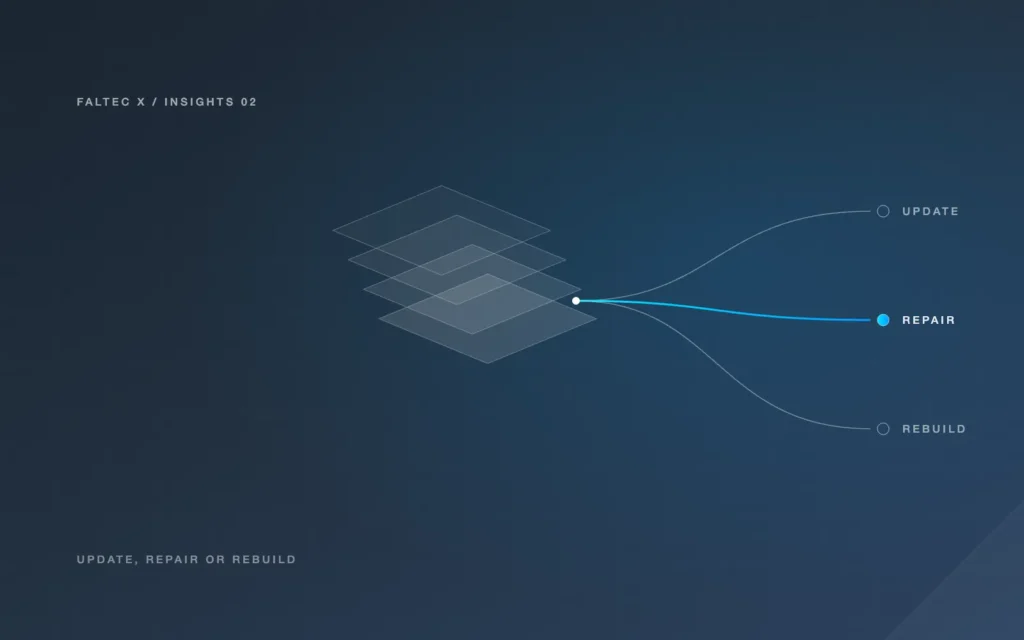
A major WordPress release is a reason to review your website, not an automatic reason to redesign it.
WordPress 7.0 arrived in May 2026 and WordPress 7.1 followed on 19 August 2026. As with any major platform change, the practical question for a business owner is not “Do I need a new website because the version number changed?” It is “Is the current site secure, compatible, maintainable and still doing its job?”
What changed that matters to a business owner?
WordPress releases can introduce new editing features, developer capabilities, performance changes, compatibility requirements and security fixes. Some changes are visible to site owners; others mainly affect the developers and plugins behind the site.
WordPress 7.0 also introduced new AI-related foundations in core. That is important platform infrastructure, but it should not be confused with a ready-made customer chatbot or a complete business automation system.
WordPress 7.1 continued the platform’s development with changes to design controls, editing and developer capabilities. The existence of new features does not mean every existing site needs to use them immediately.
For an established business website, stability and compatibility usually matter more than adopting every new capability on release day.
A software update is not the same as a redesign
These are three different jobs:
Update
Bring WordPress core, themes and plugins to appropriate supported versions, then test that the site still behaves correctly.
Repair
Fix specific compatibility problems, broken layouts, failing forms, errors or outdated components while keeping most of the existing site.
Redesign or rebuild
Change the site more substantially because the design, structure, content model, editing experience or technical foundation no longer suits the business.
A major WordPress release can reveal problems in an old setup, but it does not create the business case for a redesign by itself.
Review the theme, plugins and custom code
Before updating a production site, understand what the site depends on.
Check:
- the active theme and whether it is maintained
- important plugins and their compatibility information
- custom plugins or theme code
- PHP and hosting requirements
- page-builder dependencies
- licences for premium components
- whether backups and recovery are available
Older websites sometimes rely on components that have not been updated for years. In that situation, the risk may be less about the new WordPress release and more about accumulated maintenance debt.
A staging environment can be useful for testing larger changes before applying them to a live business site.
Test the parts that affect customers and enquiries
A site can appear visually normal after an update while important functions have stopped working.
Test the customer journey, not just the homepage:
- contact forms
- booking forms
- payment or checkout steps where applicable
- account or portal access
- search and filters
- email notifications
- CRM connections
- analytics and conversion events
- mobile layouts
- important admin editing tasks
If the website feeds enquiries into another platform, test the full connection. Confirm that records are created correctly, required fields arrive and follow-up triggers still behave as intended.
When is repair enough?
Repair is often the sensible choice when the current design and structure are still useful but a small number of technical issues need attention.
Examples include:
- one outdated plugin needs replacement
- a form integration needs updating
- a template breaks at certain screen sizes
- a custom function needs compatibility work
- the editing interface needs a focused improvement
The advantage of repair is that it preserves a working site without turning a maintenance issue into an unnecessary redesign project.
When does a redesign or rebuild make more sense?
A broader project may be justified when several problems overlap:
- important pages are difficult to edit
- the mobile experience is poor across the site
- navigation no longer reflects the business
- the theme or builder is unsupported
- forms and lead paths are inconsistent
- performance is difficult to improve within the current setup
- custom code is undocumented or fragile
- major functionality needs to change
At that point, repeated repairs may cost more attention than rebuilding on a cleaner foundation.
See Website Redesign Adelaide for a structured improve-versus-redesign decision.
WordPress AI infrastructure is not a customer chatbot
WordPress 7 introduced AI-related foundations intended to help WordPress and extensions work with generative AI capabilities. That does not mean a normal WordPress update automatically creates an AI assistant for website visitors.
A customer-facing assistant still needs a purpose, approved information, model or service configuration, conversation boundaries, privacy considerations, human handover and testing.
If the actual requirement is “help customers get answers and pass complex questions to a person”, treat that as a separate workflow project rather than an automatic feature of the platform update.
Questions to answer before choosing update, repair or rebuild
- Is the current site on a supported WordPress version?
- Are the theme and important plugins maintained?
- Is there a recent, usable backup?
- Can the update be tested safely before launch?
- Do forms, bookings and integrations still work?
- Can staff edit important content without technical workarounds?
- Are the problems isolated or spread across the site?
- Would replacing a few components solve the issue?
- Is there a separate business reason to redesign the customer experience?
- Who is responsible for ongoing maintenance after the work is complete?
If most problems are isolated, maintenance or repair may be enough. If the platform, structure and customer journey are all holding the business back, a rebuild becomes easier to justify.
Sources
- WordPress.org, WordPress 7.0 “Armstrong”, 20 May 2026: https://wordpress.org/news/2026/05/armstrong/
- WordPress.org, WordPress 7.1 “Mary Lou”, 19 August 2026: https://wordpress.org/news/2026/08/mary-lou/
- WordPress.org release archive and security updates: https://wordpress.org/news/category/releases/
Related services: Website Maintenance Adelaide · Website Redesign Adelaide · Web Development Adelaide