

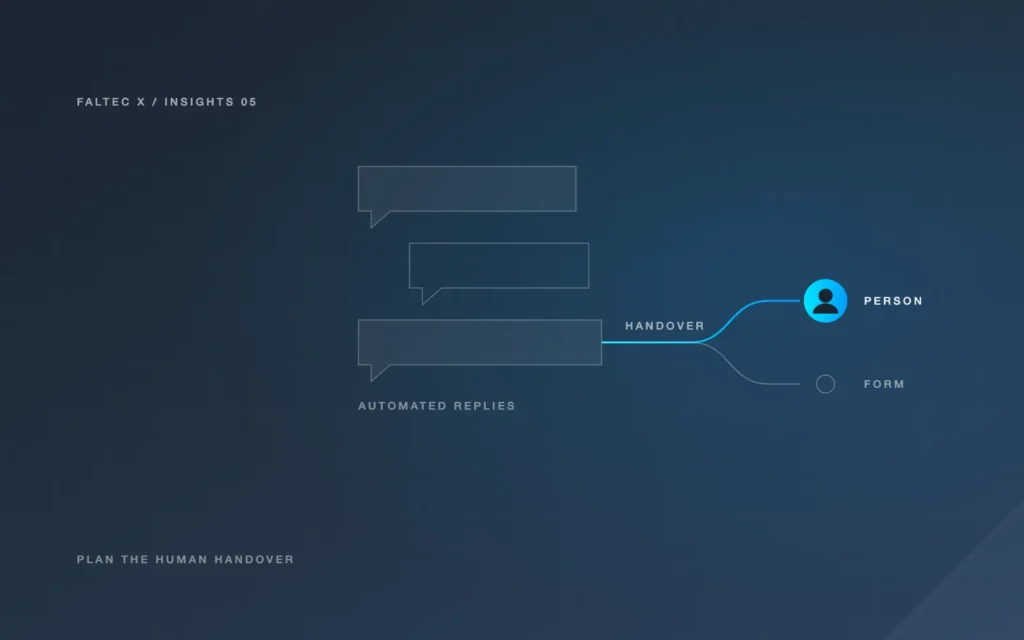
An AI website chatbot is most useful when everyone knows what should happen when the assistant cannot help.
Before choosing a tool or loading a knowledge base, define the handover process: what the assistant is allowed to do, what triggers escalation, whether a person is available and what context needs to follow the conversation.
A chatbot without a workable handover can create a worse experience than a simple contact form.
Define what the assistant is allowed to do
Start with the job, not the technology.
A website assistant might be allowed to:
- answer common service questions from approved content
- explain basic process or scope
- collect an enquiry
- help a visitor choose the right contact path
- pass conversation context to a person
It may not be appropriate for the assistant to:
- invent prices or project commitments
- provide unsupported guarantees
- make legal, financial or other high-stakes decisions
- claim a person is available when no one is monitoring the channel
- use private business information outside its approved purpose
Clear boundaries make the assistant easier to test and easier to trust.
AI chat, live chat and forms are different tools
These channels are often grouped together, but they solve different problems.
AI website assistant
An AI assistant can interpret natural-language questions and respond from approved information. It is useful when customers ask varied versions of similar questions or need help navigating information.
Live chat
Live chat connects the visitor with a real person. It is useful when the business can genuinely staff the channel and respond within the expectation created by the interface.
Contact form
A form is often better when the business needs structured information and does not require a real-time conversation. It can be simpler, easier to govern and more reliable for low-volume enquiries.
Adding AI does not automatically make the customer experience better. Choose the channel that fits the actual service model.
Define the handover triggers
A handover should not depend only on the customer typing “human”.
Useful escalation triggers can include:
- the assistant does not have enough approved information
- the customer asks for a quote or project-specific commitment
- the person is frustrated or repeatedly rephrases the question
- the topic requires a staff decision
- the conversation involves sensitive account information
- a defined confidence or safety threshold is reached
HubSpot’s customer-agent documentation, for example, supports configurable handover behaviour and different approaches to transferring conversations to people. Other platforms handle this differently, so the exact capability needs to be checked before design decisions are made.
Plan staffed and unstaffed hours
“Talk to a person” means different things at 11:00 am and 11:00 pm.
If live staff are not always available, define what the assistant should say when handover cannot happen immediately.
Options may include:
- collect contact details and a summary for later follow-up
- create a support or sales ticket
- direct the person to a booking page
- offer a standard enquiry form
- explain the actual service hours
Do not create the impression of 24/7 human support unless that is genuinely available.
Pass useful context to the person
A handover is frustrating if the customer has to repeat the entire conversation.
Where the platform supports it and the data handling is appropriate, pass useful context such as:
- the customer’s stated goal
- the page or service involved
- key details already provided
- the relevant conversation transcript or summary
- any actions already taken
The receiving person should be able to understand why the conversation was escalated.
At the same time, avoid collecting unnecessary sensitive information simply because the chatbot makes it easy to ask more questions.
Test difficult conversations
Do not test only the perfect FAQ examples used during setup.
Try:
- vague questions
- misspellings
- two questions in one message
- requests outside the approved knowledge base
- contradictory information
- frustration or repeated questions
- requests for a price that has not been approved
- a handover when no staff are available
- an instruction that conflicts with the assistant’s allowed scope
The goal is not to prove that the assistant can answer everything. It is to prove that it fails safely and moves the conversation to the right next step.
Is a chatbot actually worthwhile?
A chatbot may be useful when:
- the website receives enough repeated questions to justify it
- there is a clear approved knowledge source
- handover can be handled properly
- staff can maintain the content and monitor issues
- the conversation adds value beyond a form or well-written page
A normal form may be better when:
- enquiry volume is low
- most customers need a quote rather than an instant answer
- the business cannot monitor handovers
- questions require project-specific judgement
- the website can answer common questions clearly without another interface
The simplest useful tool is often the best starting point.
A practical handover plan
Before launch, document:
- What can the assistant answer?
- What must it never promise?
- Which questions trigger a person?
- Is that person available immediately or later?
- What happens outside staffed hours?
- What context is passed to the person?
- Where is the conversation recorded?
- How can the assistant be paused?
- Who reviews incorrect answers?
- How often is the approved knowledge checked?
If those questions do not have clear answers, the handover design is not finished.
Sources
- HubSpot Knowledge Base, “Set up and customize the customer agent’s handoff process”, updated 20 July 2026: https://knowledge.hubspot.com/customer-agent/set-up-and-customize-the-customer-agents-handoff-process
- Check the current documentation for the exact chatbot or customer-agent platform used in your implementation.
Related services: AI Automation Adelaide · Web Development Adelaide · Our Work